The help desk and ticketing system you keep.
For IT support and service desks. Runs on your own server or VPS. Your team uses it in any web browser. You pay once.
Try Smitey live in your browser now.
With a ready-made sample company and three roles to try out.
Try the live demo now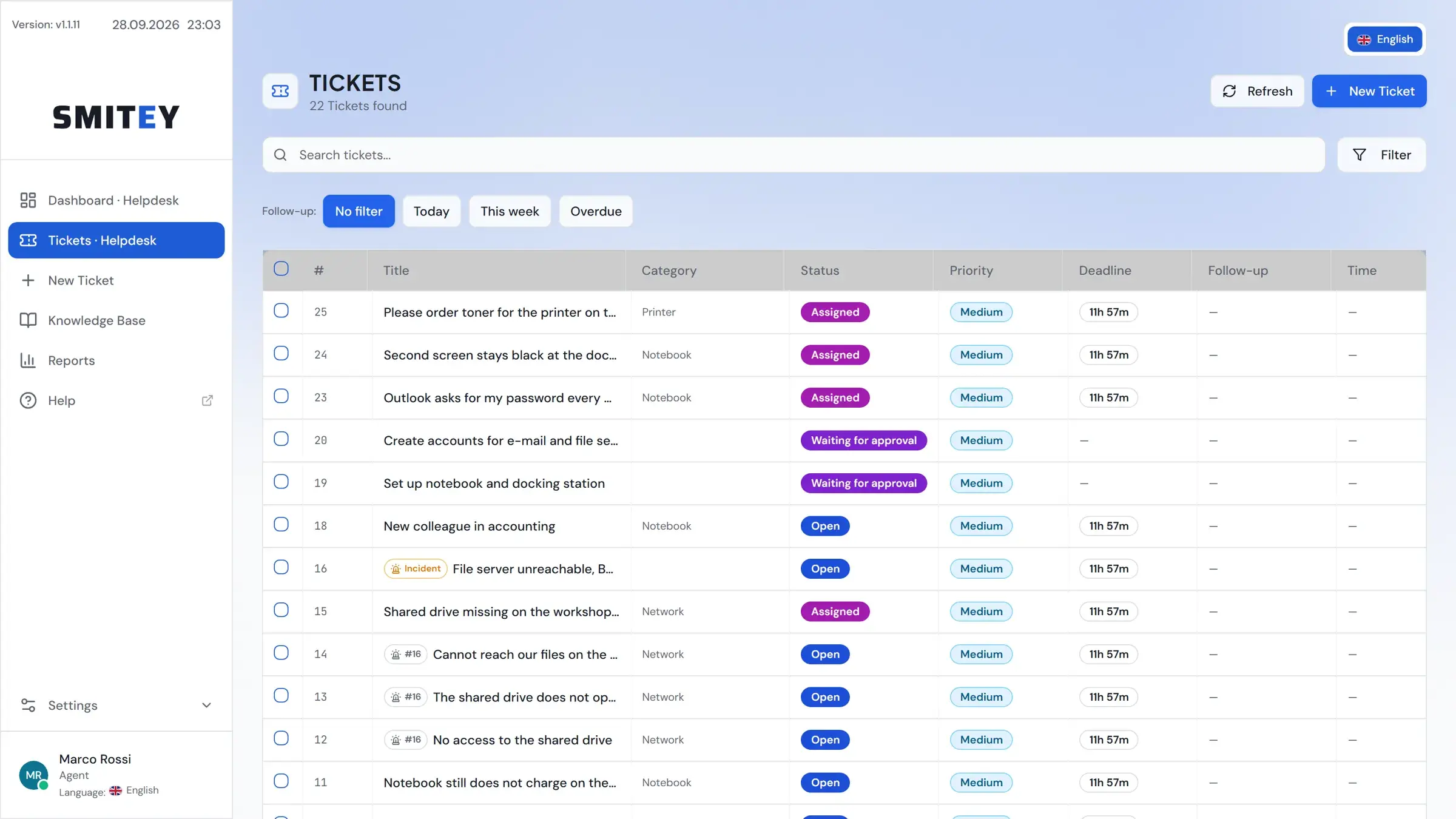
Once, from €349
All 1.x updates included
Your server or VPS
Windows or Linux, used in any web browser
Developed in Essen, Germany
Support straight from the developer, usually within three working days
Secure checkout
Purchase and invoice through Paddle
Cost comparison calculator
See right away what other solutions cost compared with Smitey. Give it a try.
Save €2,243 over 3 years
Buy once instead of renting forever. Many help desk tools cost money every month, for every agent. Work out for yourself what that adds up to over the years.
From month 5 on, the subscription costs more than your license.
List prices per agent and month as of 28 September 2026: Zendesk Suite Team €55 billed annually, Jira Service Management Standard US$20 (about €17).
Smitey Basic covers 1 team with up to 2 agents. From 2 teams or 3 agents on, we calculate with Smitey Professional. A later upgrade to a new major version is optional and not included.
Jira Service Management offers a free cloud plan for up to 3 agents with limits, for example 100 emails a day. We calculate with the first paid plan.
Everything a professional ticket system needs
Tickets, teams, deadlines and reports in one place. Your team works in any web browser.
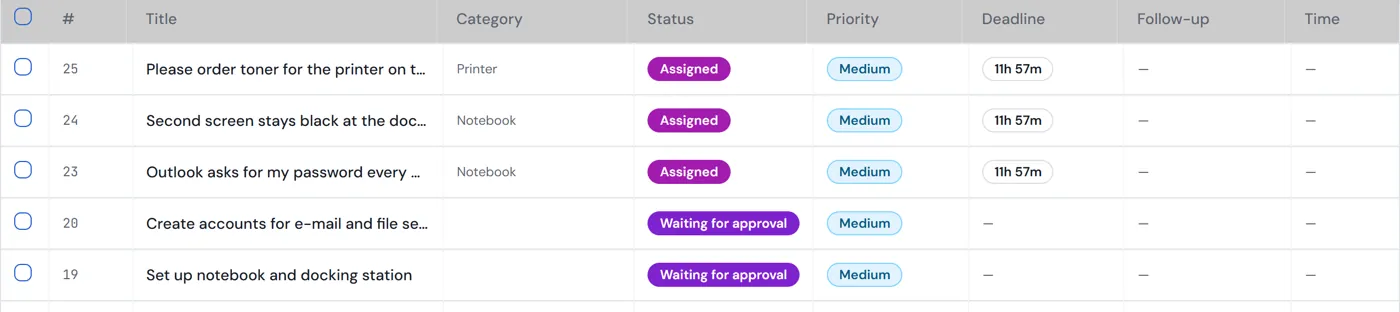
Every request at a glance
Status, priority and deadline are right in the list. You see at once what is urgent.
Email becomes a ticket
An email to your help desk mailbox automatically becomes a ticket. Replies land in the same ticket.
Rules instead of manual work
You write the rule as a sentence. Before you switch it on, you see which tickets it affects. No limit and no extra cost per run.
WHEN a ticket has had no activity for 5 minutes
IF the priority is “High”
THEN follow up in 4 hours
One outage, many reports
When the file server goes down, you bundle all reports under one incident. One solution closes every ticket in the bundle and informs everyone who reported.

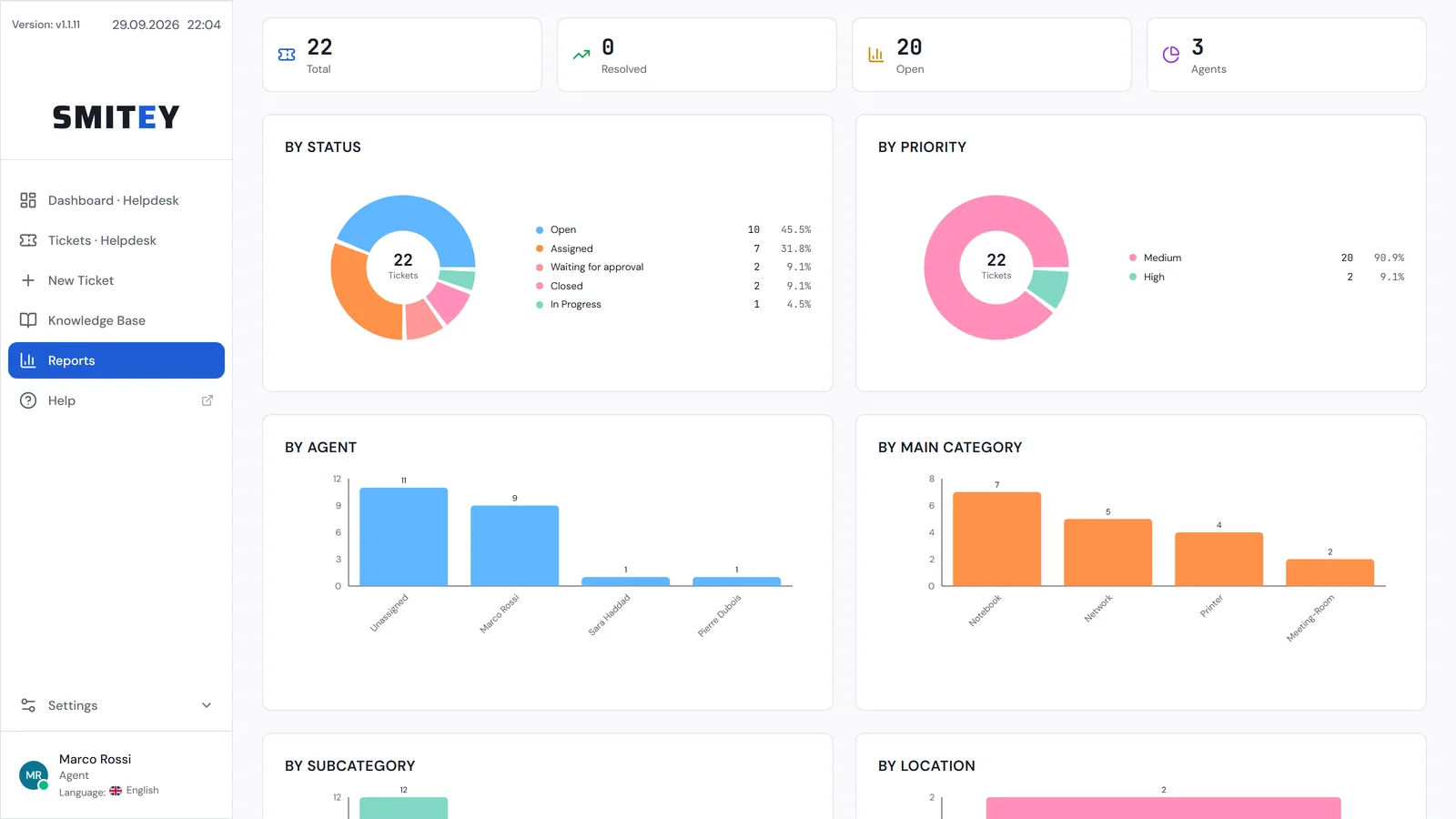
Reports you can pass on
Reports with charts, filtered the way you need them. Export to CSV, Excel and PDF.
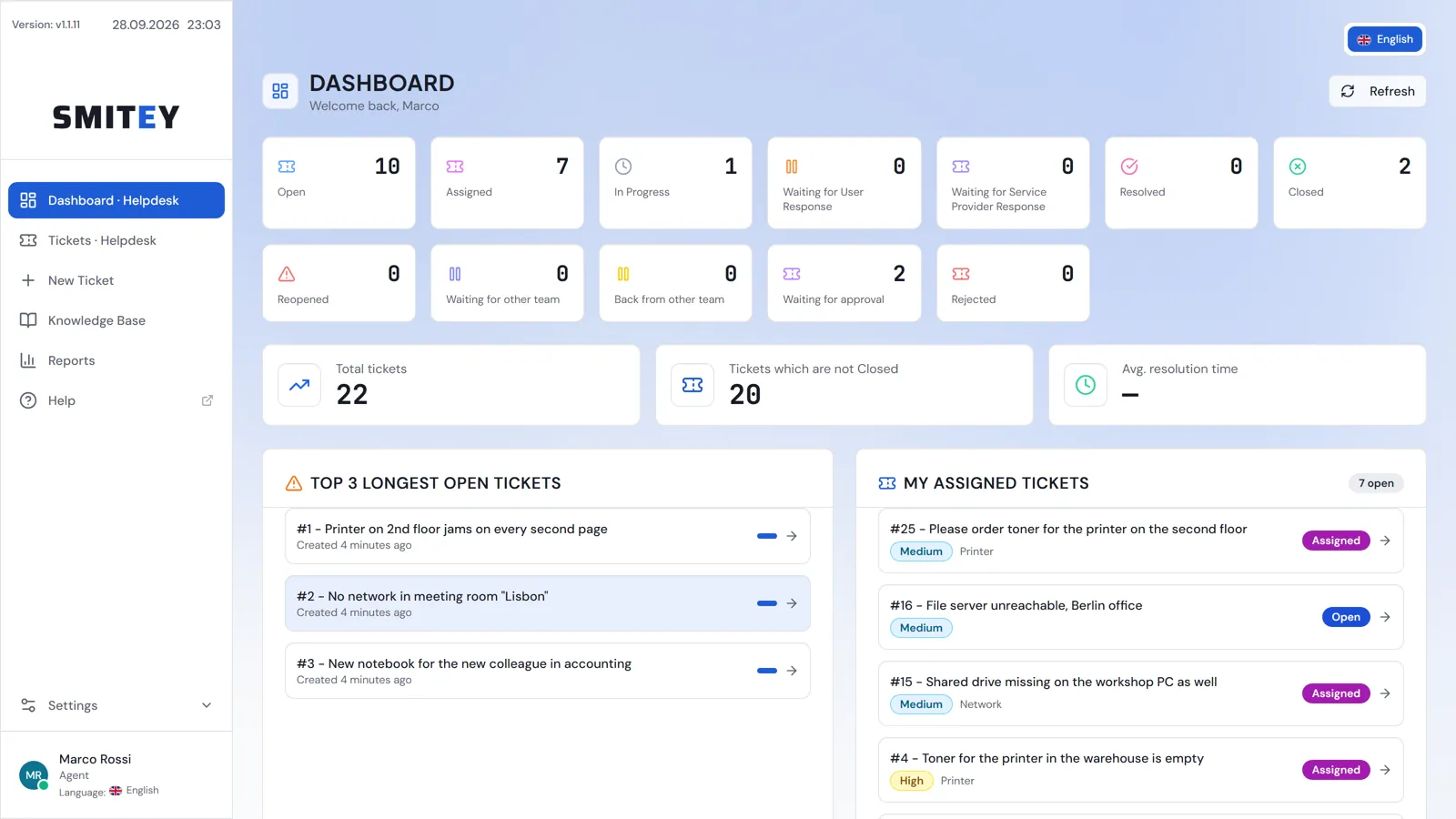
A dashboard per team
Every team sees its tickets by status at a glance. The oldest open tickets and your own tickets are right next to them.
Your data stays with you
The ticket system runs on your own server or VPS. Tickets, customer data and emails stay in your infrastructure. For the GDPR it brings the tools you need as the controller.
GDPR
- Data export as a ZIP at the push of a button
- Anonymize people without losing tickets
- Configurable retention periods
- Encrypted backups and 2FA by default
Data sovereignty
- Runs on your own server or VPS
- The installation sets up the daily backup by itself
Sign-in
- Two-factor sign-in
- Protection against password guessing
- SSO via OIDC, SAML 2.0 and LDAP (Professional)
Permissions
- Permissions per role, finely adjustable
- Customers only see their own tickets
Updates
- Update with one click in the interface
- A full backup before every update
Ready in 3 steps
Install
On your own server or VPS. An installer for Windows or one command for Linux.
Set up
The setup assistant guides you through teams, categories and users.
Get going
Your team works in any web browser, with nothing else to install.
Hi, I’m Thorsten.
I work with IT ticket systems for a living. For a current need I could not find a suitable solution on the market. So I developed my own IT ticket system in Essen, Germany.
It carries 26 years of experience in IT. I hope it helps other teams around the world as well.
You buy my ticket system once and keep it. It runs on your own server or VPS. Customers and agents use it in any web browser, whatever their operating system.
Try it for 30 days. No credit card, every feature included.
Thorsten Nierfeld
Developer and owner, Smitey
Two editions. One principle: no subscription fees.
Pay once, use permanently – including all 1.x updates.
Basic
For small teams and getting started
€349 one-time
- 1 team with 2 agents, unlimited customers
- Knowledge base and reply templates
- Reports with export to CSV, Excel and PDF
- Two-factor sign-in and daily backup
- No email integration
Professional
For companies and cross-team processes
€999 one-time
- Everything in Basic
- Unlimited teams and agents
- Email integration with a mailbox per team
- SLA, automation and time tracking
- SSO via OIDC, SAML 2.0 and LDAP
Final prices incl. 19% German VAT – at checkout the tax is applied according to your country, so the amount shown there may differ. Checkout, invoicing and taxes handled by our partner Paddle.com (merchant of record).
Frequently asked questions
What exactly does "buy once, use always" mean?+
You buy a license once and may use the purchased major version (1.x) for an unlimited time. All minor and patch updates within 1.x are free. Only an optional upgrade to a future major version 2.x would cost again – your 1.x license keeps working forever either way.
Where does the software run – do I need a cloud?+
No. The ticket system is self-hosted: it runs on your own server or a VPS you rent, on Windows or Linux. Your team then works in any modern web browser, with nothing to install on their computers. Your data never leaves your infrastructure.
Is this a helpdesk or a service desk system?+
Both – the difference is in how you organize, not in the software. As an IT helpdesk it takes in incidents and requests, prioritizes them and documents the fix. As a service desk it serves several departments through one shared mailbox and one shared portal: the requester sees a single team, while IT, facility management, HR or accounting hand cases over behind it. Response and resolution times, automation and reporting work as they do in large service desk suites – only self-hosted and without a subscription.
Can I connect Microsoft 365, Gmail or my own mailbox?+
With most providers a user name and password is all it takes – your own mail server, a web host, or on-premise Exchange. Google Workspace and Gmail additionally need an app password. Microsoft 365 cannot be read directly, because Microsoft has switched off user name and password sign-in for IMAP; there you set up a dedicated helpdesk mailbox with forwarding – it takes about ten minutes and has the side effect that the ticket system never gets access to your company mailbox.
Does the time tracking replace statutory working-time recording?+
No, and that is deliberate. What is recorded is the effort spent on a case – how long a ticket took, billable or not. It is not a time clock: no clock-in and clock-out, no breaks, no weekly hours, no holidays. For statutory working-time recording you still need a dedicated system; the two figures have nothing to do with each other and should not be mixed. The benefit here is billing: effort per customer, cost centre or contract, exportable as CSV, Excel and PDF.
What is the difference between Basic and Professional?+
Basic includes the full ticket workflow for one team with two staff users – two admins, or one admin and one agent, whichever suits you (unlimited customers). Professional removes all limits (unlimited teams, admins and agents) and adds email integration (email-to-ticket, SMTP sending, workflows), SSO (OIDC, SAML2, LDAP/AD), custom fields, SLA targets with business hours, time-based automation, incident bundling, satisfaction surveys (CSAT) and automatic ticket assignment.
Can I move from Basic to Professional later?+
Yes, any time – and without losing anything. You only pay the €650 difference, so the Basic price you already paid is credited in full (€349 + €650 = €999). On the pricing page you enter the instance ID of your installation (Settings → License); the new license unlocks Professional in your running installation – no data migration, no reinstall.
How does the 30-day demo work?+
The demo includes the full Professional feature set without restrictions and runs for 30 days. Afterwards you can buy a license and continue seamlessly with your data.
How does purchasing work?+
Sales are handled by our payment provider Paddle as merchant of record – including invoicing and correct tax handling. After purchase you receive your license key by email.
Does the ticket system help me with the GDPR?+
Yes. It comes with the tools you need as the controller: data export, anonymization, retention periods, two-factor sign-in and encrypted backups. The data sits on your server or VPS, and we do not process it. That is why you need no data processing agreement with us for the installation. For your records of processing and your technical and organizational measures, the data protection guide for operators provides templates.

Try it for 30 days on your own server or VPS
Every feature, no credit card. You decide afterwards.